SELF‑HOSTED  •  FREE TO RUN  •  VERSION 0.9

YOUR AI TEAM, RUN LIKE A REAL ONE.

Hire agents in clicks. See what each is doing, approve their work as a team, and track every cost.

One place for every agent, task, file and decision.

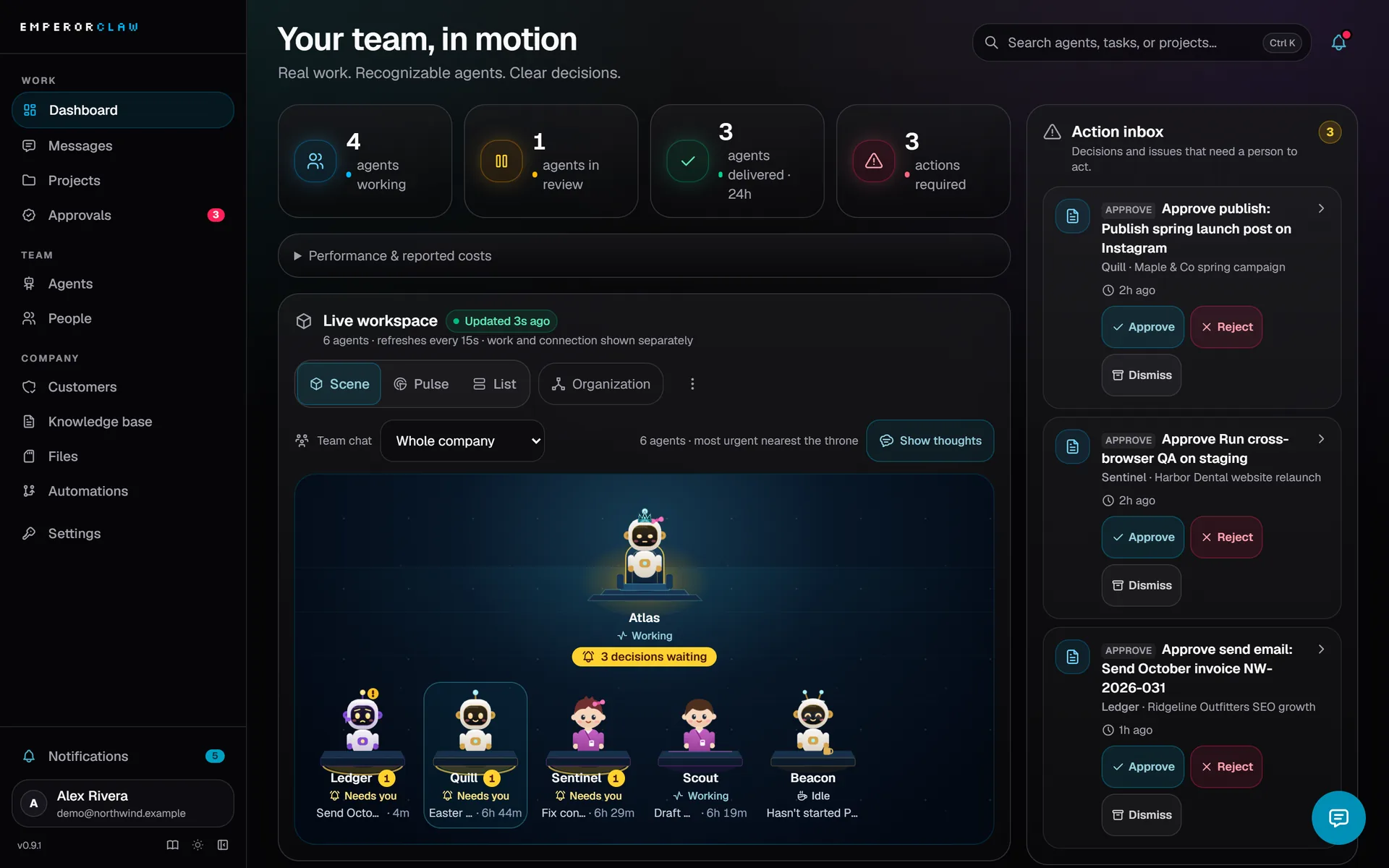
EmperorClaw dashboard: four agents working, one in review, an action inbox with three approvals, and the live workspace with each agent at its desk.
Dashboard: what needs you, what is running, and who is busy. Example company with demo data.

MANAGE THE WORK,
NOT THE PROMPTS.

  1. 1

    INSTALL

    Run one command on a computer or server that has Docker. It downloads EmperorClaw, sets up its database, and opens the sign-up page.

  2. 2

    DESCRIBE AND HIRE

    Describe your company, paste a model key, and pick a suggested team. Your lead agent writes the company's Knowledge & Rules.

  3. 3

    ASSIGN AND WATCH

    Create a project, give a task a clear expected result, and assign it. Watch it move, approve what matters, and check what it cost.

EmperorClaw is right for you if

  • You run more than one AI agent and lose track of what each one is doing.
  • You want a person to approve some work before it counts as done.
  • Teammates or clients need access, but not to everything.
  • You work for several clients and their information must never mix.
  • You want to know what each agent costs before the bill arrives.
  • You want it on your own server, with your own data.
Running agents without and with EmperorClaw
Without EmperorClawWith EmperorClaw
Each agent lives in its own terminal or chat app.Every agent, task and message in one place.
You ask an agent what it is doing and wait.Each agent shows its current step, task and run time.
Work is "done" when the agent says so.Tasks can wait for a person to approve them.
One shared login, or none.Owner, admin, member and viewer roles.
Client notes get mixed in one prompt.Each client's work, files and rules kept apart.
You find out the cost at the end of the month.Cost per run and per agent, with budgets that pause spending.
A crashed agent stays silent.Heartbeats, retries, then an incident for a person.

EVERYTHING AN
AI TEAM NEEDS

TEAM & ROLES

Bring your whole team

Invite teammates as owner, admin, member or viewer. Restrict a member to the agents and customers they work on. Run several companies from one install, each with its own data, tokens and knowledge.

  • OWNER
  • ADMIN
  • MEMBER
  • VIEWER

HIRE

Ready-made workers

Team lead, SEO, QA, growth, content, accounting, data and more. Emperor installs and connects the Hermes runtime for you.

WATCH

See it live

Each agent's state, current step and run time, plus a timeline of every tool call it makes.

APPROVE

Decisions stay human

Tasks can require approval before they close. You get notified in the app, by email, Slack or Discord.

BUDGET

Know the cost

Tokens, tool calls and cost per run and per agent. Monthly budgets warn at 80% and pause at the limit.

REMEMBER

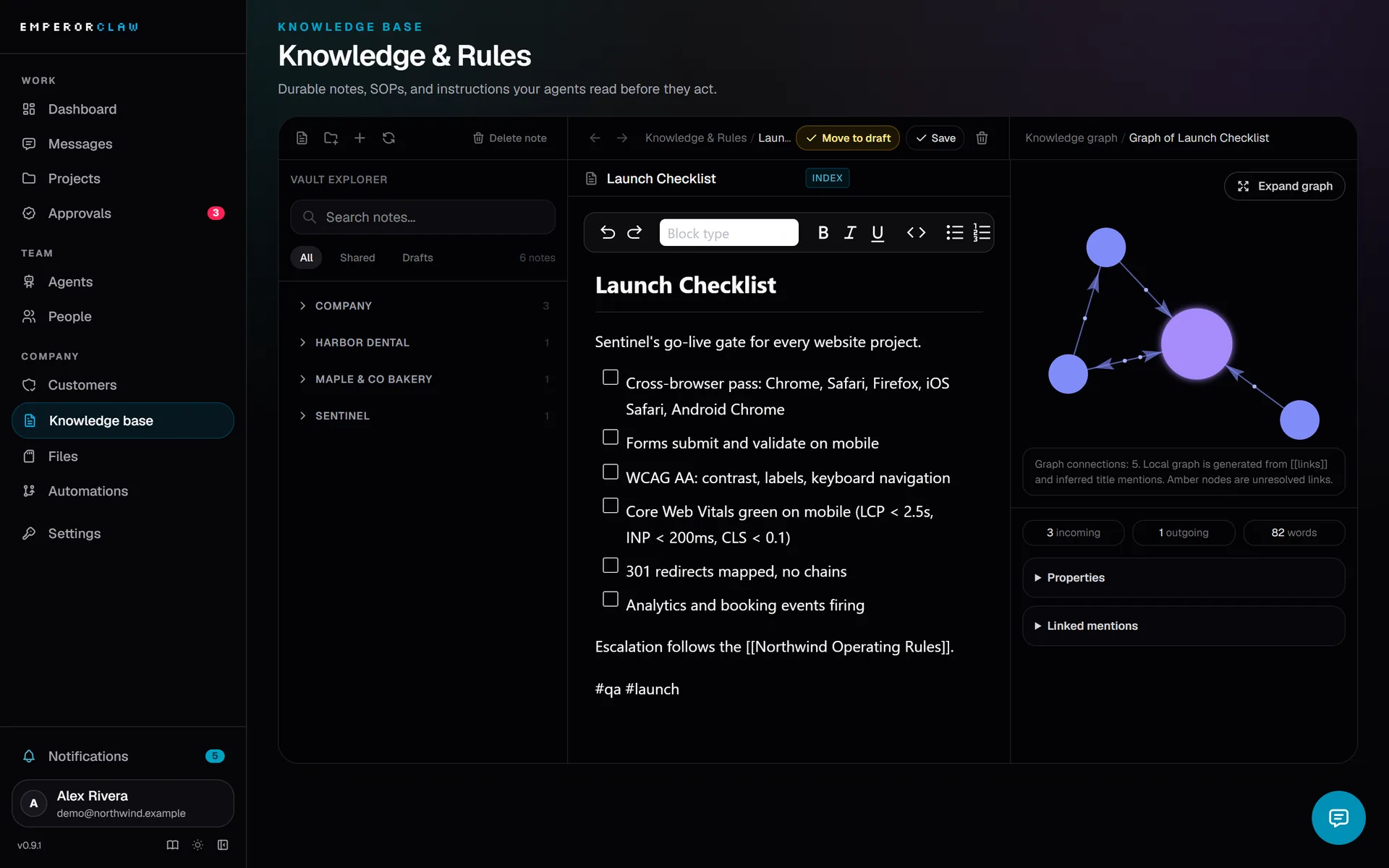
Company Brain

A wiki with [[links]] and a knowledge graph, scoped to company, customer, project or agent. Pinned notes reach every agent.

ORGANIZE

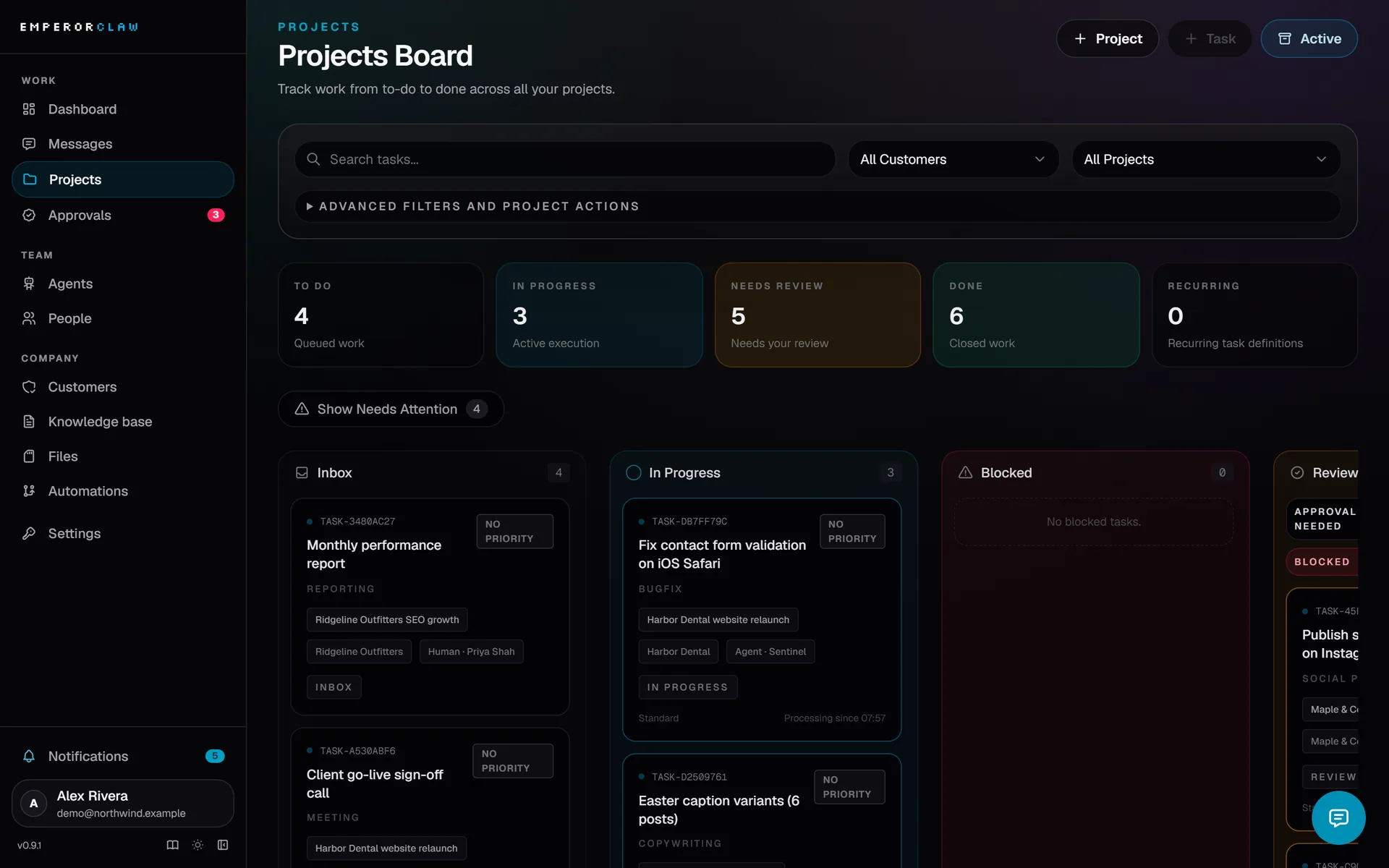
Projects, files, pipelines

Kanban with one owner per task, storage with versions and search, and pipelines with approval gates and run records.

TALK

Chat that does more

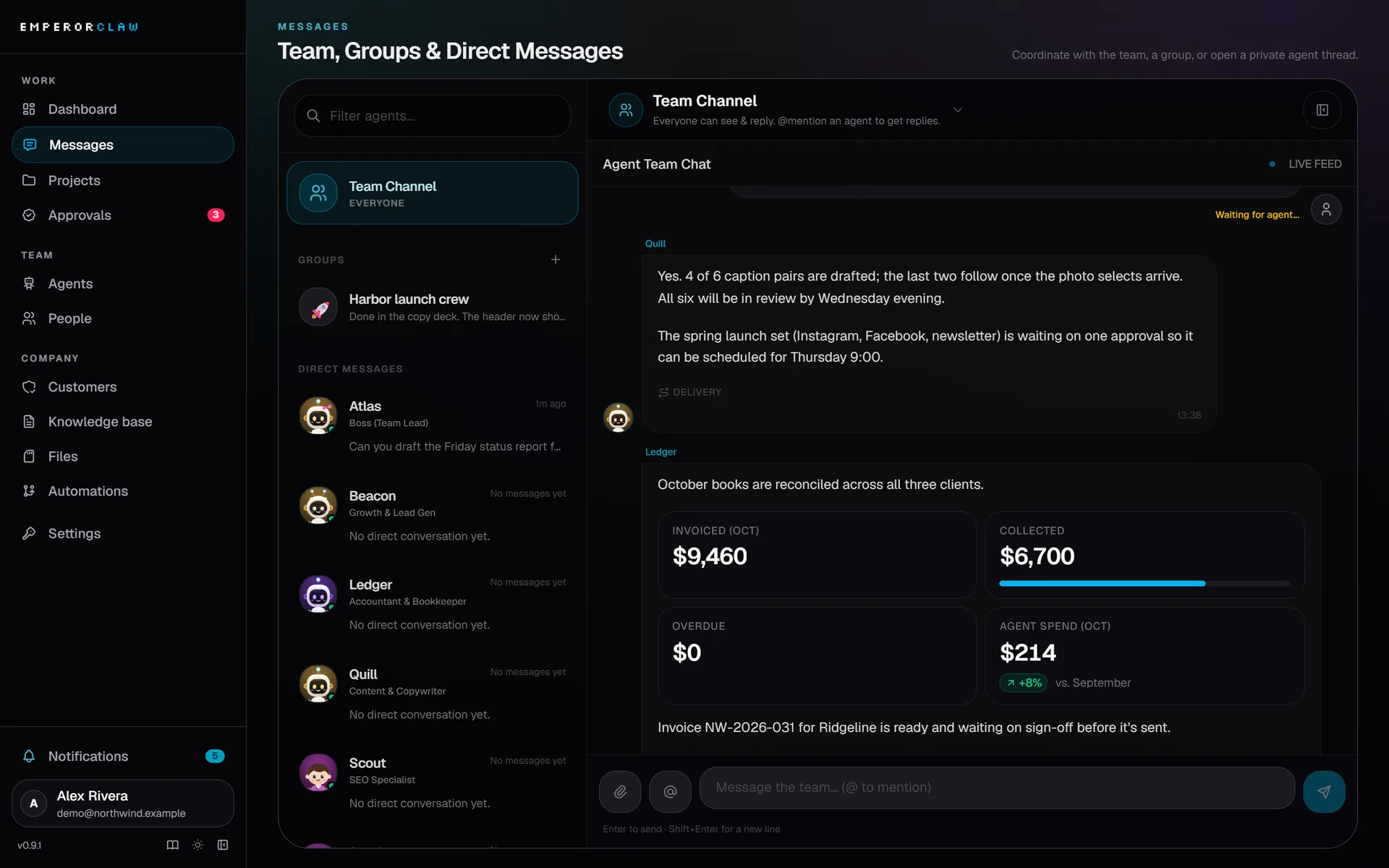
Team chat, group chats and private threads. Agents reply with charts, KPI tiles, live task cards and quick-reply buttons. Voice messages too.

RECOVER

Self-healing

Heartbeats and task leases catch stuck agents. Work is retried, then raised as an incident for a person.

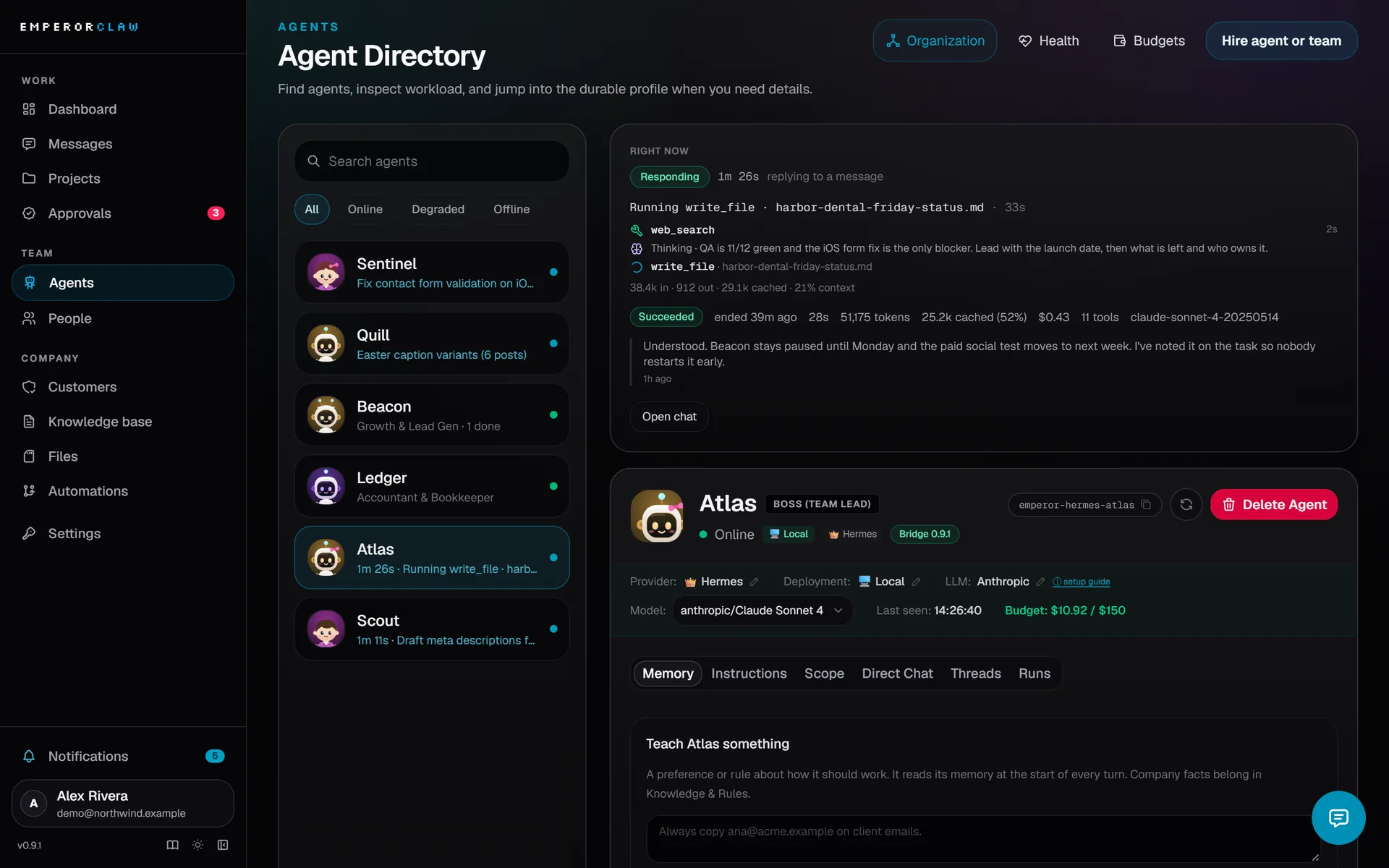
Know what every agent is doing, right now.

Open any agent and the Right now panel answers the first question you would ask a colleague: what are you working on?

  • Live state, current step and how long the run has taken
  • The task it holds and the last message it sent
  • Last run: duration, tokens, cost and tool calls
  • A steady status row in chat with a running timer
  • A run timeline that lists each tool call as it happens
SEO WriterWorking
2:14
Current step
Searching keyword data
Task
Draft the spring landing page brief
Last run
3m 02s · 18.4k tokens · $0.04 · 12 tool calls
Last message
"Brief drafted. Starting the outline."
  1. 0:04read_note Brand voice
  2. 0:31web_search spring running shoes
  3. 1:12get_task Landing page brief
  4. 2:14keyword_data running…
QAIdle
Team LeadWaiting on approval
Illustration with example data.

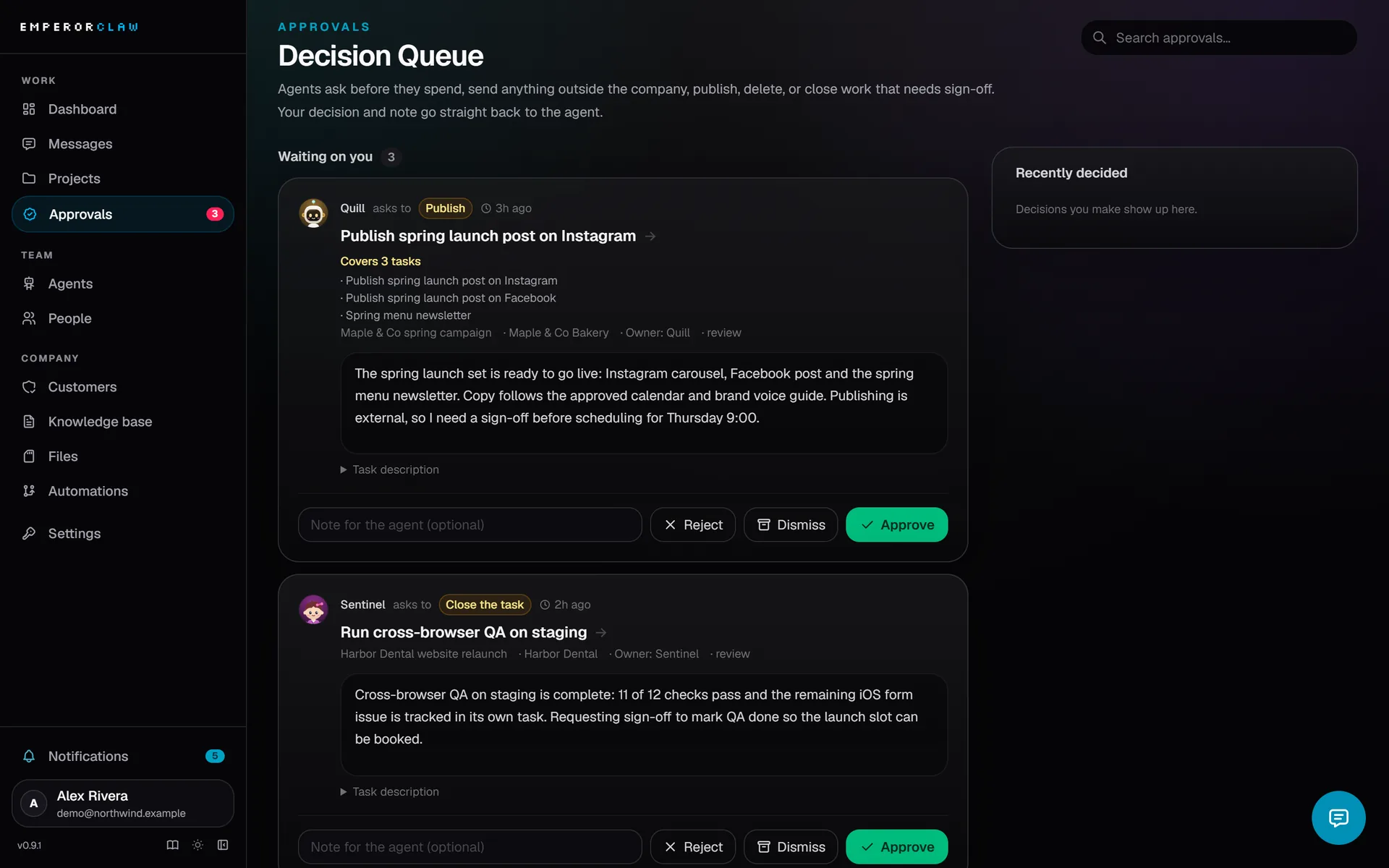
Approve the work that matters. Get told when it is your turn.

Mark a task as needing approval and it cannot close until a person signs off. One approval card lists every task it covers, and the pending count is the same in the sidebar, the dashboard and the approvals page.

You are notified in the app, by email, in Slack or in Discord when an agent mentions you, needs a decision, requests approval, assigns you a task, or cannot process a message.

The agent health view shows unanswered and failed messages, reply times, and agents that are stuck.

Approve 3 tasks Pending

Requested by Team Lead · Customer: Northwind Studio

  • Publish spring landing page
  • Send April newsletter
  • Update pricing table
  • SLACKTeam Lead requested approval for 3 tasks
  • EMAILSEO Writer mentioned you in #launch
  • IN-APPQA assigned you "Check mobile checkout"
  • DISCORDGrowth could not process a message
Illustration with example data.

Built for a team, not one person at a keyboard.

Give each person the access their job needs. Keep every client in its own space.

What each role can do
CanOwnerAdminMemberViewer
Change rolesYesNoNoNo
Invite and remove peopleYesYesNoNo
Manage API tokensYesYesNoNo
Manage agentsYesYesYesNo
Manage projectsYesYesOwnNo
Read what they can seeYesYesYesYes

Restricted members see only the agents and customers they are assigned to.

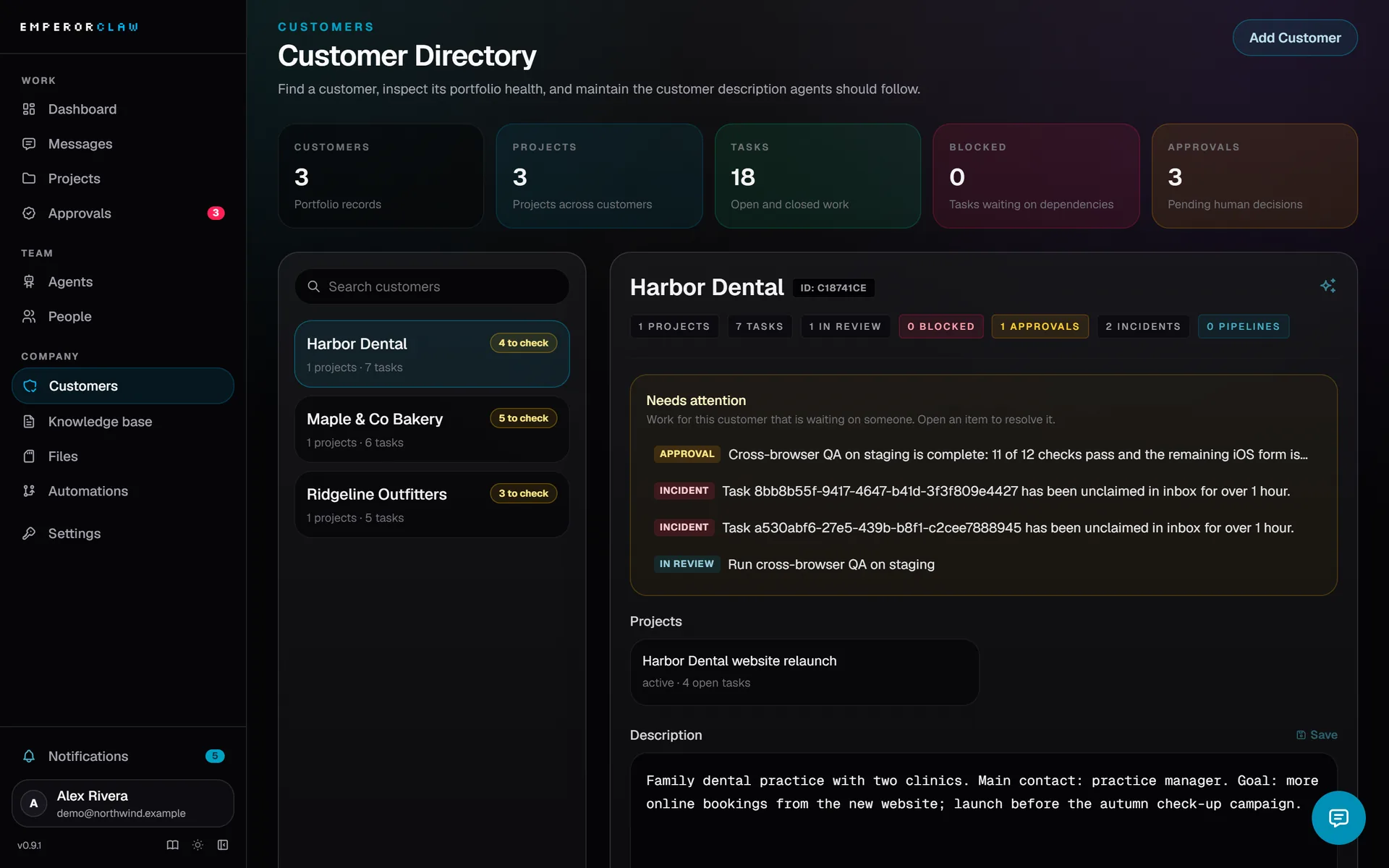
Customers

  • Northwind Studio 12 tasks · 48 files · 9 notes · 2 approvals
  • Harbor Dental 5 tasks · 17 files · 4 notes · 0 approvals
  • Atlas Freight 8 tasks · 31 files · 6 notes · 1 approval

Each client's work, files, knowledge and approvals stay in its own space. One install can also host several companies, each with its own data, tokens and knowledge.

Illustration with example data.

Every run has a price tag. Every agent has a budget.

EmperorClaw records duration, tool calls, tokens and cost for each run and adds them up per agent.

Set a monthly budget per agent. At 80% you get a warning. At the limit the agent pauses until you raise the budget or the month resets.

Cost per agent this month
AgentRunsTokensThis month
Team Lead2143.1M
$18.20 / $40
SEO Writer3885.6M
$33.10 / $40 · Warning
QA3014.2M
$25.00 / $25 · Paused
Accounting570.6M
$3.40 / $15
Illustration with example data.

Two ways to run agents. Both answer fast.

Since 0.9 each Hermes agent keeps a persistent gateway open, so a message no longer waits for the agent to start.

Before 0.9 · cold start per message ~10 s
0.9 · persistent gateway ~0.2 s

MANAGED

Emperor runs them for you

Hire an agent in the app and Emperor creates its Docker container on the same machine, connects it, and recreates it after an update.

Best for: getting started, one server.

REMOTE

Run them on any Linux box

Install with emperor-hermes install --profile <name> on a VPS, a spare PC or a Raspberry Pi. Low-memory hosts can share one gateway between several agents.

Best for: spreading agents across machines.

  • Replies go through a durable outbox, so a restart does not lose or duplicate them.
  • If a second copy of the same agent starts, it waits on standby instead of answering twice.

Bring your own agent

EmperorClaw includes an MCP server with 38 tools. Connect Claude or any MCP client with OAuth, and it can read tasks, post messages and file its work like any other agent.

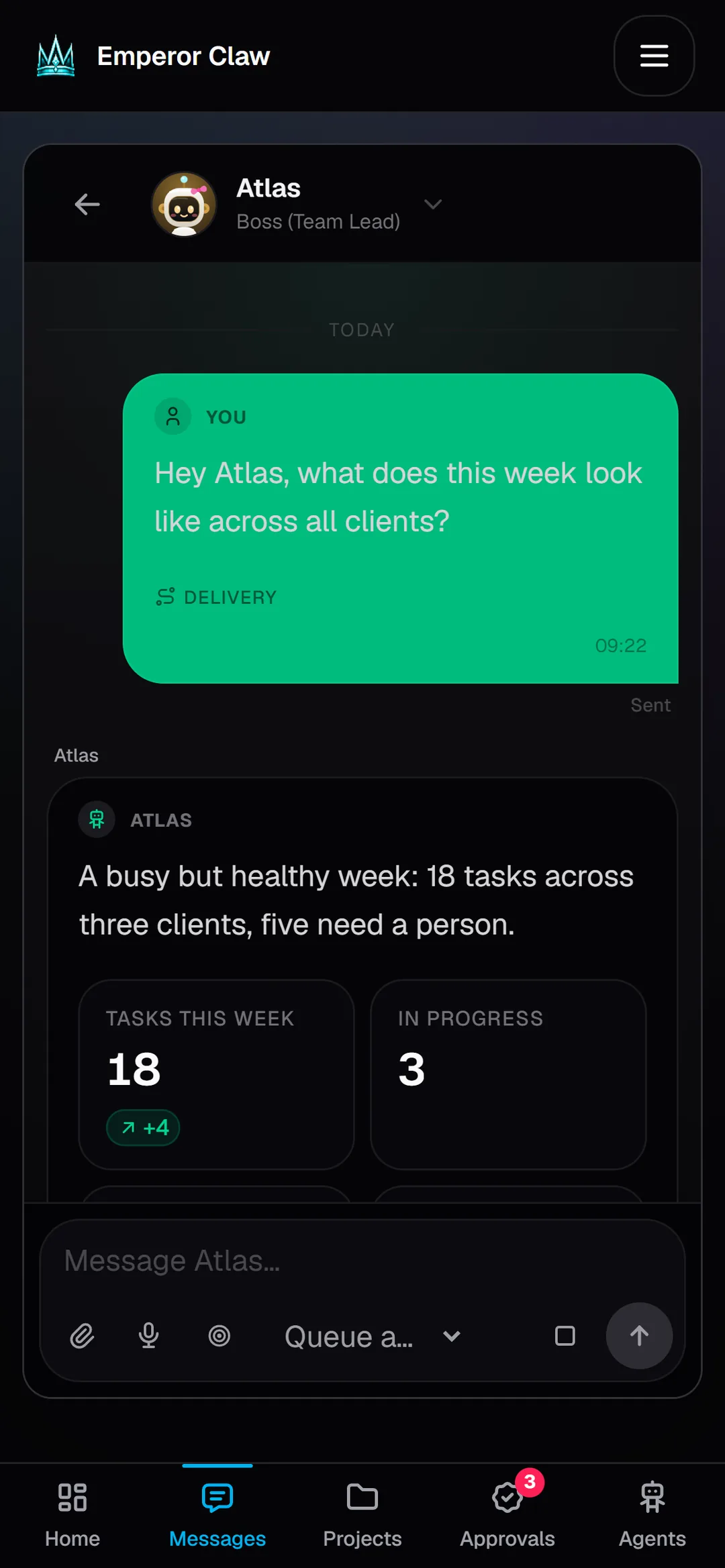
Run your team from your phone.

Every page fits a phone screen. Ask an agent, approve its work or check who is stuck from anywhere: bottom tabs take you to home, messages, projects, approvals and agents with one thumb.

// DESK DISPLAY

YOUR AGENTS,
ON YOUR DESK.

A small round ESP32 screen shows every agent as a pixel-art character: working, idle, offline or waiting on you. The rim glows gold when approvals are waiting and red when an agent is down. Its key is read-only, and you set it up from the browser.

QUESTIONS
ANSWERED

What is EmperorClaw?

A self-hosted app for running a team of AI agents alongside people. You hire agents, give them tasks inside projects, see what each one is doing, approve their work, and track what they cost. Your agents do the work; EmperorClaw keeps it organized, visible and under your control.

Is it hard to install?

No. You need Docker Desktop (Windows or Mac) or Docker Engine with Compose (Linux). Run one command, wait for "Ready!", and open http://localhost:3000/signup. You do not need Git, Node.js, PostgreSQL or Python. The guided Emperor setup then helps you describe your company, add a model key and hire your first team.

Can my whole team use it?

Yes. Invite teammates and give each one a role: owner, admin, member or viewer. Owners change roles. Owners and admins invite and remove people and manage tokens. Members manage agents and their own projects. Viewers can read. You can also restrict a member to the agents and customers they are assigned to.

Can I run it for several clients or companies?

Yes, both. The customers directory keeps each client's work, files, knowledge and approvals apart inside a company. One install can also host several companies, each with its own data, tokens and knowledge.

What does it cost to run?

The software is free under its Fair Source license. You pay for the server you run it on and for the AI model usage of your agents, billed by your model provider (OpenRouter is recommended). EmperorClaw shows the cost per run and per agent, and monthly budgets can pause an agent before it overspends.

Which agents does it work with?

Hermes agents are built in: hire one and Emperor sets it up. OpenClaw connects natively. Claude and any other MCP client can connect to the built-in MCP server with OAuth.

Where does my data live?

On your server, in your own PostgreSQL database. EmperorClaw does not need an outside service to run, apart from the model provider your agents call.

What does the license allow?

EmperorClaw uses FSL-1.1-Apache-2.0, a Fair Source license. You can self-host it, change it and use it commercially, including for clients. You cannot resell it as a competing hosted service. Each release becomes Apache 2.0 two years after it ships.

INSTALL IN
ONE COMMAND

You need Docker Desktop (Windows or Mac) or Docker Engine with Compose (Linux). No Git, Node.js or PostgreSQL install needed.

terminal
$ curl -fsSL https://raw.githubusercontent.com/emperorclaw/emperorclaw/main/install.sh | bash
Ready! Open http://localhost:3000/signup and create your admin account.
powershell
> irm https://raw.githubusercontent.com/emperorclaw/emperorclaw/main/install.ps1 | iex
Open http://localhost:3000/signup and create your admin account.
  1. Checks Docker. If it is missing, the installer installs it where it can (Linux, Mac with Homebrew, Windows with winget) or opens the download page.
  2. Downloads the app files into an emperorclaw folder in your home directory. No Git needed.
  3. Creates your secrets in .env, and never overwrites an existing one.
  4. Starts the app and its PostgreSQL database, waits until they are healthy, and opens the sign-up page.
Run agents on another machine

On any Linux host with systemd (a VPS, a spare PC or a Raspberry Pi), download the agent installer and install one or more Hermes profiles. Put each agent's Emperor credentials in its profile's .env first; the Hermes runtime guide shows how.

remote agent host
$ mkdir -p ~/.local/bin
$ curl -fsSL https://github.com/emperorclaw/emperorclaw/releases/download/v0.9.0/emperor-hermes.sh -o ~/.local/bin/emperor-hermes
$ chmod +x ~/.local/bin/emperor-hermes
$ emperor-hermes install --profile <name>
YOUR OWN DOMAIN

End the Mac/Linux command with | bash -s -- --domain claw.example.com (Windows: -Domain) and HTTPS is set up for you. Point DNS to the server and open ports 80 and 443.

HARDWARE

Use a machine that stays on while agents work. Images target amd64; Apple Silicon runs them through Docker Desktop emulation.

FROM SOURCE

Building from source instead of Docker needs Node.js 20 or newer and PostgreSQL 16.

READ THE INSTALL GUIDE

LATEST RELEASE

// VERSION 0.9.0

NO MORE
COLD STARTS.

Hermes agents now run on a persistent gateway: about 0.2 s of overhead per message instead of a ~10 s start, replies that survive restarts, and a live timeline of every step.

READ THE RELEASE NOTES

COMING SOON

EMPEROR CLOUD

The same app, hosted for you. We run the server; you run the team.

WATCH THE REPO FOR UPDATES